

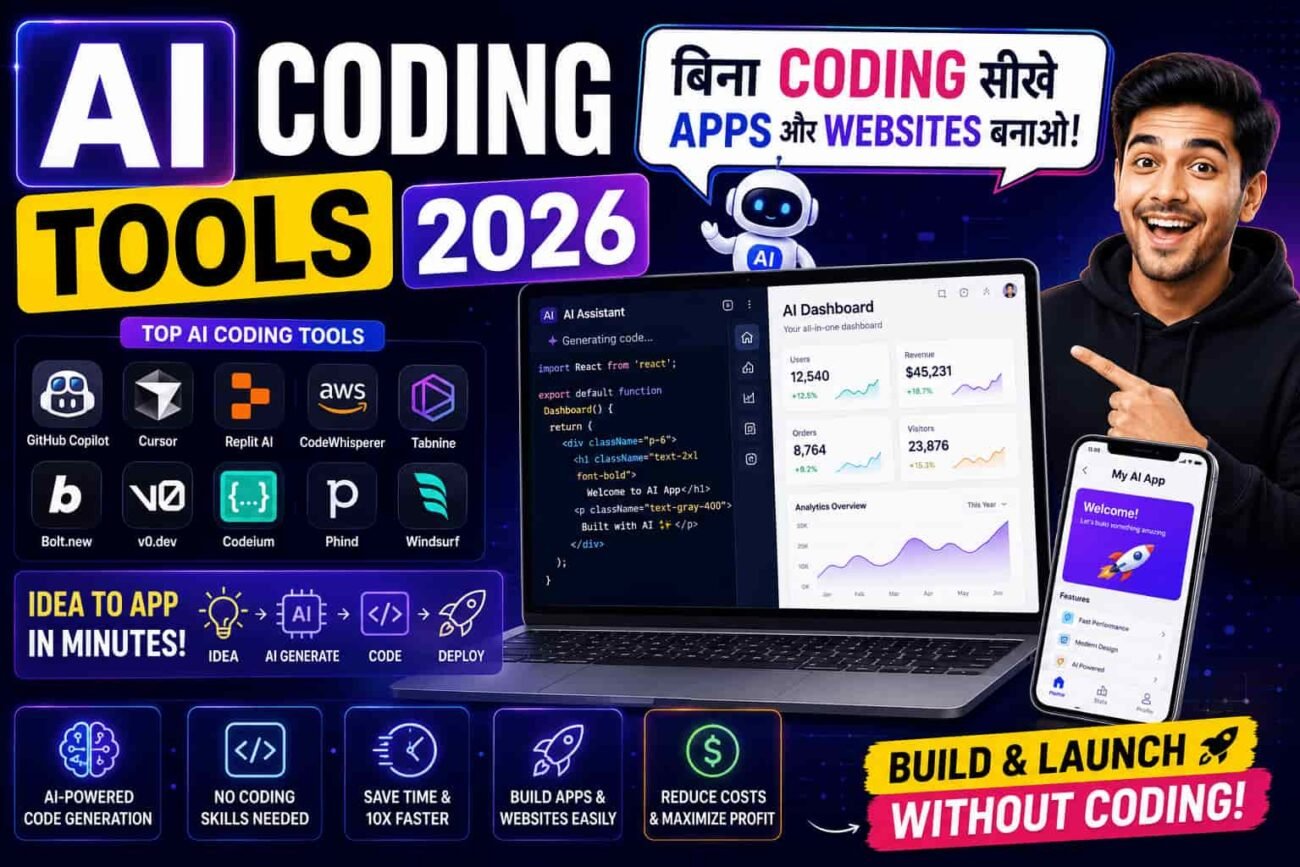
आज के digital युग में apps और websites बनाना सबसे valuable skill बन चुकी है। इसीलिए हर कोई — चाहे student हो, entrepreneur हो, freelancer हो या business owner — अपना app या website बनाना चाहता है। लेकिन coding सीखना traditionally months या years का काम था।
हालाँकि एक बड़ी problem यह है कि programming languages सीखने के लिए पहले computer science background, logic building और months की practice ज़रूरी थी। Python, JavaScript, HTML, CSS — इतनी languages सीखना beginners के लिए overwhelming था। लेकिन अब Artificial Intelligence (AI) ने यह सब बदल दिया है। नतीजतन अब कोई भी बिना एक भी line of code लिखे professional apps और websites बना सकता है।
इसलिए इस article में हम 2026 के best AI coding tools के बारे में detail से जानेंगे। हम यह भी समझेंगे कि ये tools कैसे काम करते हैं, किसके लिए best हैं, और आप कैसे zero coding experience से अपना पहला app या website बना सकते हो।
💻 AI Coding Tools क्या होते हैं?
AI Coding Tools ऐसे software platforms होते हैं जो Artificial Intelligence की मदद से code लिखने, apps बनाने और websites develop करने की पूरी process को automatic या बेहद easy बना देते हैं। इसीलिए user को सिर्फ describe करना होता है कि क्या बनाना है — बाकी code AI खुद लिखता है।
उदाहरण के तौर पर, आप लिखो “एक todo list app बनाओ जिसमें tasks add, delete और complete करने का feature हो” और AI automatically complete working code लिख देता है — frontend, backend, database सब। नतीजतन months का development काम hours में हो जाता है।
AI Coding Tools की 4 Main Categories
1. AI Code Generators (Prompt-to-App): आप natural language में describe करो कि क्या बनाना है और AI complete working app या website generate कर देता है। इसलिए यह बिल्कुल non-coders के लिए perfect है।
2. AI Code Assistants (Pair Programmers): ये tools existing code editors के अंदर काम करते हैं और real-time में code suggestions, auto-completion और bug fixes देते हैं। नतीजतन developers की speed 2-5x बढ़ जाती है।
3. AI-Powered IDEs (Smart Editors): ये complete development environments हैं जिनमें AI deeply integrated है — code writing, debugging, testing, deployment सब AI-assisted है। इसके अलावा, ये tools codebase को deeply समझकर context-aware suggestions देते हैं।
4. No-Code AI Builders: ये visual drag-and-drop platforms हैं जिनमें AI backend automatically handle करता है। इसीलिए बिना कोई code देखे भी functional apps बन जाती हैं — perfect for business owners और creators।
⚙️ AI Coding Tools कैसे काम करते हैं? (Step-by-Step)
AI से app या website बनाना complex लगता है — हालाँकि actually यह बेहद simple process है। आइए step-by-step समझते हैं:
Step 1 — अपना Idea Describe करो
Input Types: Natural language description, Wireframe/sketch upload, Reference website URL, या Voice command
सबसे पहले आप AI tool में अपना idea describe करते हो — simple Hindi या English में। इसके अलावा, कुछ advanced tools में आप sketch या wireframe upload करके भी बता सकते हो कि app कैसा दिखना चाहिए।
Step 2 — AI Code Generate करता है
AI क्या करता है: Architecture decide करता है, Frontend code लिखता है, Backend logic बनाता है, Database setup करता है।
इस stage में AI आपकी requirements analyze करता है और complete working code generate करता है। नतीजतन HTML, CSS, JavaScript, React, Node.js — जो भी technology ज़रूरी हो, AI automatically select और implement करता है। इसीलिए आपको किसी programming language की knowledge ज़रूरी नहीं।
Step 3 — Preview और Customize करो
Automatic Tasks: Live preview दिखाना, Design adjust करना, Features add/remove करना, Colors और fonts बदलना
इसके बाद AI आपको live preview दिखाता है कि app कैसा दिख रहा है। इसके अलावा, आप natural language में changes request कर सकते हो — “button का color red करो”, “login page add करो”, “dark mode feature डालो”। हालाँकि complex customizations के लिए कुछ basic coding knowledge helpful हो सकती है।
Step 4 — Deploy और Launch करो
कुछ ही minutes या hours में complete app/website ready हो जाती है। नतीजतन आप इसे directly internet पर deploy कर सकते हो, custom domain connect कर सकते हो, और real users को access दे सकते हो। इसलिए idea से launch तक का journey dramatically short हो गया है।
💡 Pro Tip: AI से बनाए गए apps और websites production-ready हो सकते हैं, लेकिन always testing ज़रूर करो। इसके अलावा, security aspects — जैसे user data protection, authentication — को carefully review करो। AI code लिखता है, लेकिन responsibility आपकी है।
🌟 Best AI Coding Tools in 2026 — Overview
2026 में AI coding की दुनिया — जिसे अब “Vibe Coding” भी कहा जाता है — बहुत तेज़ी से grow हुई है। इसलिए market में दर्जनों tools available हैं — हालाँकि उनमें से सभी equally powerful नहीं हैं। नतीजतन हमने research करके 7 best और most reliable AI coding tools select किए हैं जो actually काम करते हैं — beginners से लेकर experienced developers तक सबके लिए।
1. ⚡ Bolt.new (by StackBlitz) — Best for Instant Full-Stack Apps (Zero Coding)
Bolt.new 2026 में non-coders के लिए सबसे revolutionary AI coding tool है। बस अपना idea type करो — और Bolt.new seconds में complete full-stack web application generate कर देता है जो browser में ही run होती है। इसीलिए जिन लोगों को coding बिल्कुल नहीं आती, उनके लिए Bolt.new game-changer है।
इसके अलावा, Bolt.new का सबसे बड़ा advantage यह है कि इसमें कुछ install करने की ज़रूरत नहीं — पूरा development environment browser में ही चलता है। नतीजतन mobile या basic laptop से भी apps बन जाती हैं। हालाँकि complex enterprise applications के लिए limitations हैं।
Bolt.new के Key Features
- Prompt-to-App — idea लिखो और complete working app seconds में ready
- Browser-based — कुछ download या install करने की ज़रूरत नहीं
- इसके अलावा, Full-stack generation — frontend + backend + database सब automatic
- Live preview — changes real-time में दिखते हैं
- One-click deploy — Netlify पर directly deploy करो
- Multiple frameworks — React, Vue, Svelte, Next.js सब support
Bolt.new के Benefits
- बिल्कुल zero coding knowledge से apps बन जाती हैं — इसलिए non-coders के लिए perfect
- नतीजतन startup founders अपना MVP (Minimum Viable Product) hours में बना सकते हैं
- Students college projects quickly build कर सकते हैं
- इसके अलावा, free tier में भी basic apps बनाना possible है
2. 🖥️ Cursor AI — Best AI-Powered Code Editor for Developers
Cursor AI 2026 में developers के बीच सबसे popular AI code editor है। यह VS Code पर based है — लेकिन इसमें deeply integrated AI capabilities हैं जो coding experience को completely transform कर देती हैं। इसीलिए professional developers जो अपनी productivity 3-5x बढ़ाना चाहते हैं, उनके लिए Cursor must-have tool है।
इसके अलावा, Cursor AI की सबसे बड़ी strength यह है कि यह आपके entire codebase को समझता है। नतीजतन suggestions generic नहीं — बल्कि project-specific और context-aware होती हैं। हालाँकि यह primarily experienced developers के लिए designed है — complete beginners को basic coding concepts पहले सीखने चाहिए।
Cursor AI के Key Features
- Codebase awareness — पूरा project समझकर smart suggestions देता है
- Tab completion — multi-line code predictions जो surprisingly accurate हैं
- इसके अलावा, Chat with code — natural language में code changes request करो
- Agent mode — complex tasks autonomously complete करता है
- Bug detection — errors real-time में identify और fix suggestions
- Multi-file editing — multiple files में simultaneously changes कर सकता है
Cursor AI के Benefits
- Developers की coding speed 3-5x बढ़ जाती है
- नतीजतन complex features जो days लेते थे, hours में complete होते हैं
- VS Code users के लिए familiar interface — switch करना easy
- इसके अलावा, free plan में 2000 completions/month — try करने के लिए पर्याप्त
3. 🤖 GitHub Copilot — Best AI Pair Programmer
GitHub Copilot 2026 में दुनिया का सबसे widely used AI coding assistant है। Microsoft और OpenAI ने मिलकर इसे बनाया है — और यह virtually हर code editor (VS Code, JetBrains, Neovim) में काम करता है। इसीलिए enterprise companies से लेकर individual developers तक — 1.8 million+ developers daily इसे use करते हैं।
हालाँकि GitHub Copilot की सबसे बड़ी खासियत यह है कि यह code comments और function names से समझ जाता है कि आप क्या बनाना चाहते हो — और automatically complete code suggest करता है। नतीजतन boilerplate code लिखने में time waste नहीं होता। इसके अलावा, Copilot Chat feature से natural language में code-related questions पूछ सकते हो।
GitHub Copilot के Key Features
- Inline code suggestions — type करते हुए intelligent auto-complete
- Copilot Chat — coding questions पूछो, explanations पाओ
- इसके अलावा, Multi-language support — Python, JavaScript, Java, C++, Go, Rust — 20+ languages
- Code review — pull requests automatically review करता है
- Documentation generation — code से automatically comments और docs बनाता है
- Workspace integration — GitHub repositories के context में काम करता है
GitHub Copilot के Benefits
- Repetitive code लिखने की ज़रूरत नहीं — productivity significantly बढ़ती है
- नतीजतन developers creative problem-solving पर focus कर पाते हैं
- New languages और frameworks सीखने में help करता है — live examples देता है
- इसके अलावा, students के लिए GitHub Education pack में free access available है
4. 🌐 V0 by Vercel — Best for AI-Generated UI/Frontend
V0 by Vercel 2026 में सबसे impressive AI UI generator है। बस describe करो कि website या app का interface कैसा दिखना चाहिए — और V0 production-ready React/Next.js frontend code generate कर देता है। इसीलिए designers जो code नहीं जानते और developers जो design में weak हैं — दोनों के लिए V0 perfect bridge है।
इसके अलावा, V0 की generated UI components बेहद professional और modern दिखती हैं — shadcn/ui और Tailwind CSS use करता है। नतीजतन output ऐसा दिखता है जैसे किसी experienced frontend developer ने बनाया हो। हालाँकि backend logic के लिए दूसरे tools या manual coding ज़रूरी है।
V0 by Vercel के Key Features
- Text-to-UI — describe करो और beautiful interface components generate हो जाएं
- Image-to-Code — design screenshot upload करो और code बन जाए
- इसके अलावा, Production-ready code — React, Next.js, Tailwind CSS में clean code
- Component library — reusable UI components generate और save करो
- Iteration — “make the button bigger”, “add dark mode” जैसे changes naturally बोलो
- One-click deploy — Vercel पर instantly live करो
V0 by Vercel के Benefits
- Beautiful UI बनाना अब design skills पर depend नहीं करता
- नतीजतन startup landing pages और portfolios minutes में professional दिखते हैं
- Freelancers client projects की frontend quickly deliver कर सकते हैं
- इसके अलावा, free tier में 200 generations per month — काफ़ी try करने के लिए
5. 🔄 Replit AI — Best for Learning + Building (Students के लिए)
Replit AI 2026 में students और coding beginners के लिए सबसे best AI-powered coding platform है। यह browser-based IDE है जिसमें AI assistant built-in है — coding सीखो भी और projects बनाओ भी, सब एक जगह। इसीलिए coding journey शुरू करने वालों के लिए Replit ideal starting point है।
इसके अलावा, Replit AI की सबसे बड़ी strength यह है कि इसमें code लिखो, run करो, debug करो और deploy करो — सब browser में ही। नतीजतन कोई software install करने की ज़रूरत नहीं, कोई setup headache नहीं। Phone से भी coding possible है। हालाँकि heavy applications के लिए performance limited हो सकती है।
Replit AI के Key Features
- Replit Agent — natural language में बोलो और AI complete app बना दे
- Browser-based IDE — कुछ install नहीं करना, browser में ही code लिखो
- इसके अलावा, 50+ programming languages — Python, JavaScript, Java, C++ सब supported
- AI debugging — errors explain करता है और fix suggest करता है
- Multiplayer coding — friends के साथ real-time collaboration
- One-click deploy — project instantly internet पर live करो
- Mobile app — phone से भी coding possible
Replit AI के Benefits
- Coding सीखने और projects बनाने दोनों के लिए — इसलिए students के लिए one-stop solution
- नतीजतन school/college projects browser से ही build और submit कर सकते हो
- Free plan generous है — beginners के लिए पर्याप्त
- इसके अलावा, coding communities और templates से learning accelerate होती है
6. 🧠 Claude AI (Anthropic) — Best for Complex Code Generation & Debugging
Claude AI 2026 में complex programming tasks के लिए सबसे powerful AI assistant है। इसका 200K+ token context window एक साथ massive codebases analyze करने में सक्षम है। इसीलिए experienced developers जो large projects पर काम करते हैं, वो Claude AI को coding assistant के रूप में बेहद prefer करते हैं।
इसके अलावा, Claude AI code explain करने, debug करने और optimize करने में exceptionally good है। नतीजतन जब कोई error समझ नहीं आ रहा हो या code optimize करना हो — Claude AI most reliable choice है। हालाँकि यह standalone IDE नहीं है — Cursor या VS Code के साथ combination में use करना best approach है।
Claude AI Coding Features
- Large codebase analysis — complete projects upload करके analysis और suggestions पाओ
- Bug debugging — error messages paste करो, root cause और fix दोनों मिलेंगे
- इसके अलावा, Code refactoring — messy code को clean, efficient code में convert करो
- Architecture planning — project structure और technology stack decide करने में help
- Code review — security vulnerabilities और best practices check
- Multi-language — Python, JavaScript, TypeScript, Rust, Go — सब में expert
Claude AI Coding Benefits
- Complex bugs जो hours लेते थे — minutes में solve हो जाते हैं
- नतीजतन code quality significantly improve होती है
- New technologies सीखने में detailed explanations मिलते हैं
- इसके अलावा, free plan में भी coding tasks के लिए काफ़ी उपयोगी है
7. 📱 FlutterFlow — Best No-Code AI Mobile App Builder
FlutterFlow 2026 में बिना coding के professional mobile apps बनाने के लिए सबसे powerful visual platform है। यह Google के Flutter framework पर based है — इसीलिए एक ही app Android और iOS दोनों पर काम करती है। Small business owners और entrepreneurs जो अपनी business app बनाना चाहते हैं, उनके लिए FlutterFlow perfect है।
इसके अलावा, FlutterFlow में AI features integrate हो गए हैं जो natural language से UI components generate करते हैं। नतीजतन drag-and-drop interface + AI assistance combination से professional apps बनाना बेहद easy हो गया है। हालाँकि very complex custom logic के लिए कुछ coding knowledge helpful हो सकती है।
FlutterFlow के Key Features
- Visual drag-and-drop app builder — code देखे बिना apps बनाओ
- AI-generated UI — describe करो और components generate हों
- इसके अलावा, Cross-platform — एक ही app Android + iOS + Web पर
- Firebase integration — backend, authentication, database automatic
- Custom APIs — external services से connect करो
- Export code — clean Flutter/Dart code download करो
- Real-time preview — changes instantly phone पर test करो
FlutterFlow के Benefits
- Business owners अपनी custom app खुद बना सकते हैं — developer hire नहीं करना
- नतीजतन app development cost ₹2-5 lakhs से घटकर ₹0-5000/month हो जाती है
- Students mobile app projects quickly build कर सकते हैं
- इसके अलावा, generated code clean होता है — future में developer से customize भी करवा सकते हो
📊 Best AI Coding Tools — Complete Comparison Table
अब तक हमने सभी 7 tools को detail में समझा। इसलिए नीचे एक complete comparison table दी गई है जिससे आप अपनी ज़रूरत के हिसाब से best tool आसानी से choose कर सकते हो:
| Tool | Type / प्रकार | Free Plan | Best For | Coding Knowledge | Rating |
|---|---|---|---|---|---|
| Bolt.new | Prompt → Full-Stack App | हाँ (Limited) | Non-Coders, MVPs | ❌ Not Required | ⭐⭐⭐⭐⭐ |
| Cursor AI | AI Code Editor | हाँ (2000 completions) | Developers | ✅ Required | ⭐⭐⭐⭐⭐ |
| GitHub Copilot | AI Pair Programmer | Students Free | Developers, Teams | ✅ Required | ⭐⭐⭐⭐⭐ |
| V0 by Vercel | Prompt → UI/Frontend | हाँ (200 gens/mo) | Designers, Frontend | 🟡 Basic Helpful | ⭐⭐⭐⭐⭐ |
| Replit AI | Browser IDE + AI | हाँ (Generous) | Students, Beginners | 🟡 Learning | ⭐⭐⭐⭐ |
| Claude AI | Code Assistant | हाँ (Limited) | Complex Projects | ✅ Required | ⭐⭐⭐⭐⭐ |
| FlutterFlow | No-Code App Builder | हाँ (Limited) | Business Apps | ❌ Not Required | ⭐⭐⭐⭐ |
🎯 Real-Life Use Cases — किसके लिए कौन सा AI Coding Tool?
अलग-अलग लोगों की अलग-अलग ज़रूरतें होती हैं। इसलिए नीचे दी गई table में हमने specific use cases के हिसाब से best AI coding tools recommend किए हैं। इससे आपको सही tool choose करने में आसानी होगी:
| Use Case / उपयोग | AI Coding Tool कैसे Help करता है | Best Tool |
|---|---|---|
| 🎓 Students (Projects/Learning) | College projects build करना, coding सीखना, assignments | Replit AI, Bolt.new |
| 🚀 Startup Founders (MVP) | Minimum Viable Product quickly build करना | Bolt.new, V0 + Cursor |
| 🏢 Small Business (Business App) | Custom business app बनाना बिना developer के | FlutterFlow, Bolt.new |
| 👨💻 Professional Developers | Coding speed बढ़ाना, productivity improve करना | Cursor AI, GitHub Copilot |
| 🌐 Freelance Web Developers | Client websites quickly deliver करना | V0, Cursor AI, Bolt.new |
| 📱 Mobile App Creators | Android/iOS apps बनाना बिना native coding के | FlutterFlow, Replit AI |
| 🐛 Debugging & Code Review | Complex bugs solve करना, code quality improve करना | Claude AI, Cursor AI |
🔥 “Vibe Coding” क्या है? — 2026 का सबसे बड़ा Coding Trend
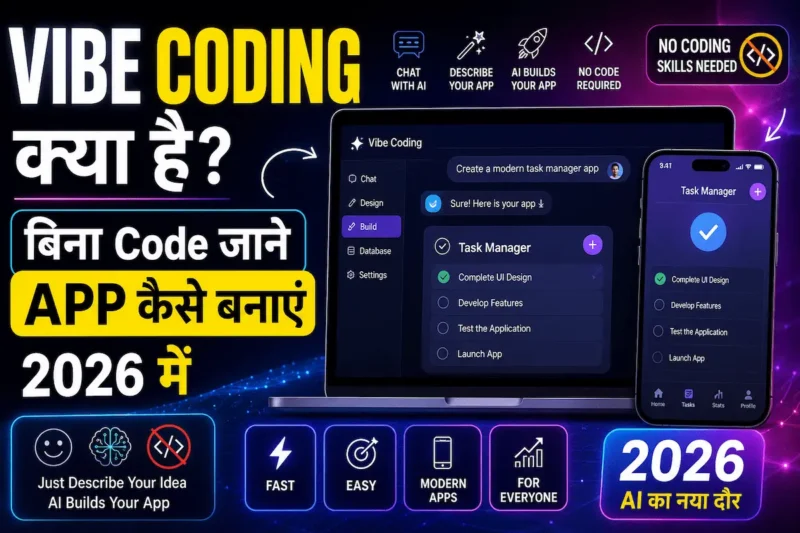
2026 में एक नया term बेहद viral हुआ है — “Vibe Coding”। यह concept AI researcher Andrej Karpathy ने introduce किया था। आइए समझते हैं:
Vibe Coding का मतलब
Coding मतलब — आप AI को natural language में बताते हो कि क्या बनाना है, AI code लिखता है, आप result देखते हो, और अगर कुछ गलत है तो फिर से describe करते हो। इसीलिए traditional “line-by-line code लिखना” ज़रूरी नहीं रहा — बस “vibe” communicate करो।
Vibe Coding कैसे काम करता है
- आप बोलो: “एक weather app बनाओ जो current location का weather दिखाए, dark theme में”
- AI complete code generate करता है
- इसके अलावा, आप result देखो — “button थोड़ा बड़ा करो, animation add करो”
- AI changes करता है
- नतीजतन conversation-style में app बन जाती है — traditional coding के बिना
Vibe Coding Limitations
- Simple apps और prototypes के लिए excellent
- हालाँकि production-level, complex applications के लिए coding knowledge अभी भी valuable है
- Security और performance optimization में human expertise ज़रूरी है
- इसके अलावा, AI-generated code को समझना और review करना important है
✅ Benefits of Using AI Coding Tools in 2026
AI coding tools सिर्फ time बचाने के लिए नहीं हैं — बल्कि ये software development को completely democratize कर रहे हैं। आइए इनके major benefits समझते हैं:
1. ⏱️ Development Time 10x कम
पहले एक basic web app बनाने में 2-4 weeks लगते थे। इसके अलावा, design, frontend, backend, testing, deployment — हर phase अलग time लेता था। लेकिन अब AI coding tools से वही app hours या days में ready हो जाती है। नतीजतन ideas quickly test और launch हो पाते हैं।
2. 💰 Development Cost 90% तक कम
Professional app development की cost पहले ₹1-10 lakhs तक जाती थी। Developer salaries, hosting, tools — सबका खर्च था। हालाँकि अब AI tools से monthly ₹0-2000 में apps बन जाती हैं। इसीलिए startups और small businesses को बड़ा benefit मिलता है — idea test करने के लिए massive investment ज़रूरी नहीं।
3. 🎓 Coding सीखना आसान हो गया
AI tools excellent teachers भी हैं। Replit AI और Claude AI code explain करते हैं, errors का meaning बताते हैं, और step-by-step guide करते हैं। नतीजतन coding सीखने का traditional frustrating experience अब interactive और enjoyable बन गया है। इसके अलावा, AI से pair programming करते हुए naturally coding skills develop होती हैं।
4. 🚀 Ideas तुरंत Test करो
Entrepreneurs के पास ideas होते हैं लेकिन development time और cost barrier बनती थी। इसीलिए अब Bolt.new और V0 जैसे tools से idea-to-prototype minutes में possible है। नतीजतन market validation quickly होती है — और जो idea काम नहीं करता, उसपर ज़्यादा resources waste नहीं होते।
5. 🌍 Career Opportunities बढ़ीं
AI coding tools ने “AI-assisted developer” की नई category create की है। इसके अलावा, non-technical founders, product managers और designers भी अब prototypes बना सकते हैं। नतीजतन job market में AI tools जानने वालों की demand बेहद बढ़ गई है। हालाँकि fundamentals समझना अभी भी career growth के लिए important है।
⚠️ AI Coding Tools की Limitations — क्या ध्यान रखें?
AI tools के फ़ायदे बहुत हैं — हालाँकि इनकी कुछ limitations भी हैं जो आपको पता होनी चाहिए। इसलिए इन्हें ध्यान से पढ़ें:
Technical Limitations
- Complex logic — highly complex business logic और algorithms में AI अभी limited है
- Security vulnerabilities — AI-generated code में security flaws हो सकते हैं जो manually review करने ज़रूरी हैं
- हालाँकि scalability — AI से बने apps millions of users handle करने के लिए optimization चाहती हैं
- Debugging — जब AI-generated code break होता है, तो fix करने के लिए coding understanding helpful है
- इसके अलावा, vendor lock-in — कुछ no-code platforms से code export करना limited है
Practical Considerations
- Over-confidence — AI-generated code blindly trust मत करो, always review करो
- इसीलिए security-critical applications (banking, healthcare) में extra caution ज़रूरी है
- Performance — AI code sometimes inefficient होता है, optimization ज़रूरी हो सकती है
- हालाँकि AI tools coding सीखने का replacement नहीं हैं — fundamentals समझना long-term में valuable है
- इसके अलावा, intellectual property — AI-generated code की ownership और licensing terms check करो
Frequently Asked Questions (FAQ)
Q1. क्या बिना coding सीखे सच में app बन सकती है?
हाँ! 2026 में Bolt.new और FlutterFlow जैसे tools से बिना एक भी line of code लिखे working apps बन जाती हैं। बस अपना idea describe करो — AI complete app generate कर देता है। हालाँकि simple और medium complexity apps के लिए यह perfectly काम करता है। इसके अलावा, complex enterprise applications के लिए कुछ coding knowledge helpful होती है।
Q2. 2026 में best AI coding tool कौन सा है?
यह आपके experience level पर depend करता है। बिल्कुल non-coders के लिए Bolt.new best है। Students और beginners के लिए Replit AI recommend करेंगे। इसके अलावा, experienced developers के लिए Cursor AI और GitHub Copilot सबसे powerful हैं। हालाँकि अगर UI/frontend बनाना है तो V0 by Vercel try करो।
Q3. क्या AI coding tools free हैं?
हाँ! इस article में दिए गए सभी tools के free versions available हैं। उदाहरण के तौर पर Replit AI का free plan generous है, V0 monthly 200 free generations देता है, और GitHub Copilot students के लिए free है। इसके अलावा, Bolt.new और Claude AI के free tiers में basic apps बनाना possible है। हालाँकि unlimited access और advanced features के लिए paid plans ज़रूरी होते हैं।
Q4. क्या AI coding tools से freelancing कर सकते हैं?
बिल्कुल! AI coding tools ने freelance web development को बेहद accessible बना दिया है। V0 से client websites quickly बनाओ, Bolt.new से MVPs deliver करो, Cursor AI से development speed बढ़ाओ। इसीलिए freelancing platforms (Fiverr, Upwork) पर AI-assisted development services offer करना profitable है। नतीजतन ₹20,000-1,00,000+ monthly earning possible है। हालाँकि basic coding concepts समझना delivery quality improve करता है।
Q5. “Vibe Coding” क्या है और कैसे करें?
Vibe Coding मतलब AI को natural language में बताना कि क्या बनाना है — बिना traditional code लिखे। Bolt.new या V0 open करो, अपना idea Hindi या English में describe करो, AI code generate करेगा, result देखो, और changes describe करो। इसके अलावा, यह term 2026 में बेहद trending है। हालाँकि complex projects के लिए coding fundamentals जानना valuable है।
Q6. Students के लिए best AI coding tool कौन सा है?
Students के लिए Replit AI सबसे best है — browser में ही code लिखो, सीखो और projects build करो। इसके अलावा, GitHub Copilot students को GitHub Education pack में free मिलता है। Bolt.new से quick projects बनाओ without coding। Claude AI complex programming concepts समझने में help करता है। नतीजतन ये 4 tools combination में use करो — coding सीखना और projects बनाना दोनों efficient हो जाएगा।
Q7. क्या AI future में developers की jobs replace करेगा?
नहीं — लेकिन AI developers की role ज़रूर change करेगा। AI repetitive coding tasks handle करेगा — हालाँकि architecture decisions, complex problem solving, security और user experience जैसे areas में human developers irreplaceable हैं। इसीलिए future developers “AI-augmented developers” होंगे जो AI tools effectively use करके 10x productive होंगे। इसके अलावा, AI tools manage करना और AI-generated code review करना नई valuable skills बन रही हैं। नतीजतन coding सीखना अभी भी सबसे smart career move है — बस approach AI-first रखो।
🏁 निष्कर्ष (Conclusion)
2026 में best AI coding tools ने software development को completely democratize कर दिया है। इसीलिए अब coding background कोई barrier नहीं रही — बल्कि students, entrepreneurs, designers और business owners सब अपने ideas को working apps और websites में बदल सकते हैं।
इस article में हमने 7 best AI coding tools cover किए। आइए एक बार फिर से याद करें:
- Bolt.new — बिना coding के instant full-stack apps, non-coders के लिए
- Cursor AI — AI-powered code editor, professional developers के लिए
- GitHub Copilot — AI pair programmer, coding speed 3-5x बढ़ाने के लिए
- V0 by Vercel — AI-generated beautiful UI/frontend, designers के लिए
- Replit AI — Browser-based coding + learning, students के लिए
- Claude AI — Complex code generation और debugging के लिए
- FlutterFlow — No-code mobile app builder, business owners के लिए
सबसे ज़रूरी बात यह है कि AI coding tools एक powerful accelerator हैं — हालाँकि programming fundamentals समझना long-term में बेहद valuable है। AI code लिखने की speed देता है, लेकिन problem-solving thinking और architectural decisions आपसे आती हैं। नतीजतन जो person AI tools को coding fundamentals के साथ combine करेगा, वो 2026 में सबसे valuable developer होगा।
अगर यह article helpful लगा तो इसे अपने developer, student और entrepreneur दोस्तों के साथ ज़रूर share करें — क्योंकि अच्छी जानकारी share करना ही सबसे बड़ी helping है! 💻🚀
🔗 Related Articles
- Best AI Video Generator Tools in 2026 — Beginners से Experts तक पूरी Guide!
- Best AI Image Generator Tools in 2026 — बिना Design Skills के Professional Graphics बनाओ!
- Best AI Writing Tools in 2026 — Blog, Email, Script सब Automatically लिखो!
- Best AI Presentation Tools in 2026 — Minutes में Professional PPT बनाओ!
- Best Free AI Tools for Small Business Owners 2026 — बिना Budget के Business बढ़ाओ!
- Best Free AI Tools for Students in 2026 — पढ़ाई को बनाओ Super Easy!
- Generative AI क्या है? — Complete Hindi Guide


Article में AI coding tools की वजह से app और website development beginners के लिए कितना आसान हो गया है, यह अच्छी तरह समझाया गया है। एक महत्वपूर्ण पहलू यह भी है कि AI से बने projects में security, scalability और code maintenance को कैसे handle किया जाए, क्योंकि real-world use में ये काफी मायने रखते हैं। इस विषय पर भी विस्तार से जानकारी मिले तो readers को और ज्यादा practical guidance मिलेगी।