
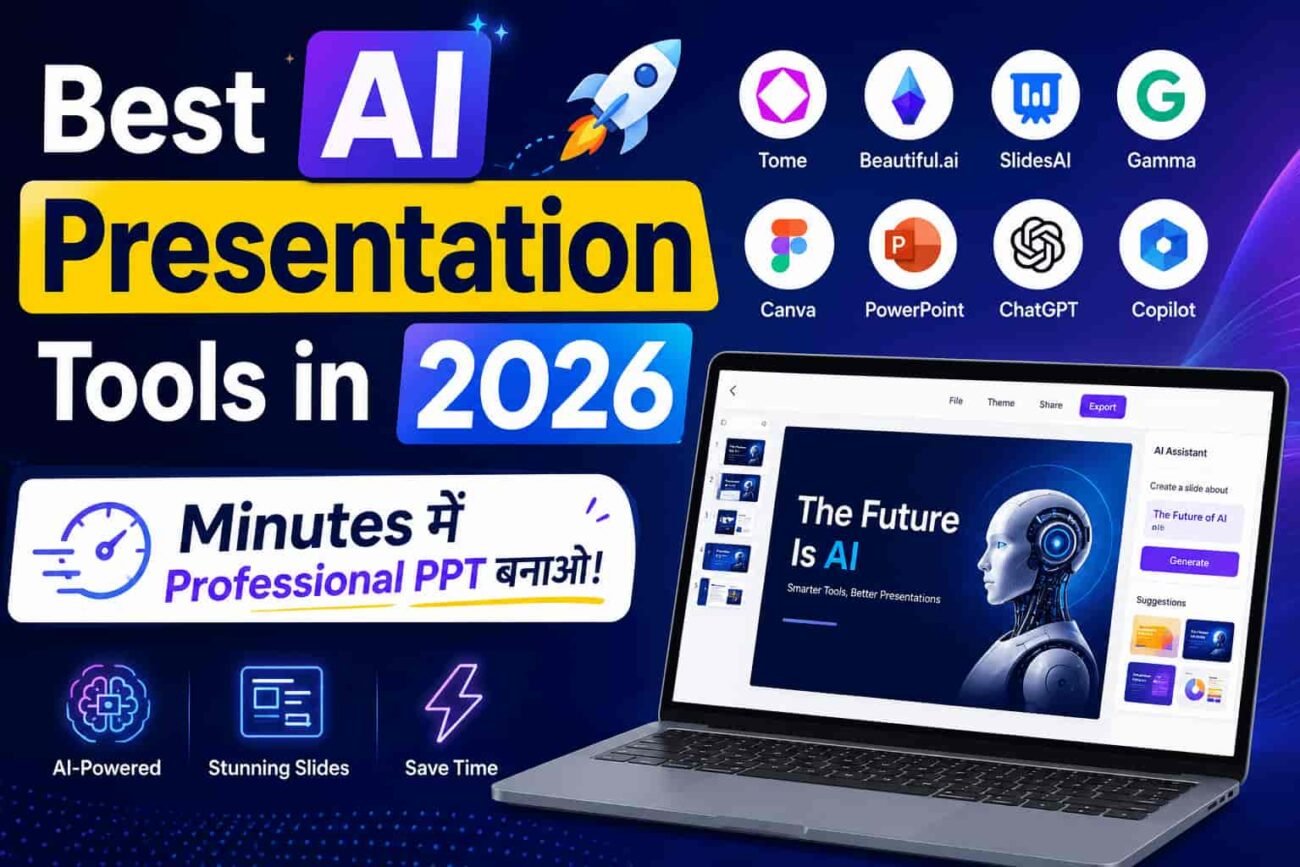
आज के digital युग में presentations सबसे ज़्यादा important communication tool बन चुकी हैं। इसीलिए हर कोई — चाहे student हो, teacher हो, startup founder हो या corporate professional — professional PPT बनाना चाहता है।
हालाँकि एक बड़ी problem यह है कि professional presentation बनाने के लिए पहले PowerPoint expertise, design sense और घंटों की मेहनत लगती थी। Slides design करना, content arrange करना, animations add करना — यह सब बेहद time-consuming था। लेकिन अब Artificial Intelligence (AI) ने यह सब बदल दिया है। नतीजतन अब कोई भी बिना किसी design knowledge के minutes में stunning presentations बना सकता है।
इसलिए इस article में हम 2026 के best AI presentation tools के बारे में detail से जानेंगे। हम यह भी समझेंगे कि ये tools कैसे काम करते हैं, किसके लिए best हैं, और आपको कौन सा tool choose करना चाहिए।
📊 AI Presentation Tools क्या होते हैं?
AI Presentation Tools ऐसे software platforms होते हैं जो Artificial Intelligence की मदद से presentations बनाने की पूरी process को automatic कर देते हैं। इसीलिए user को सिर्फ topic, outline या document देना होता है — बाकी सब AI खुद करता है।
उदाहरण के तौर पर, आप लिखो “Solar System ke baare mein 10 slides ka presentation banao” और AI automatically slides design करता है, content लिखता है, images add करता है और animations लगाता है। नतीजतन घंटों का PowerPoint काम minutes में हो जाता है।
AI Presentation Tools की 4 Main Categories
1. Text-to-Presentation Tools: आप कोई भी topic या prompt type करो और AI उसे automatically complete presentation में convert कर देता है। इसलिए यह students और teachers के लिए बेहद useful है।
2. Document-to-Slides Tools: इन tools में existing documents, PDFs या notes upload करके automatically slides बनाई जाती हैं। नतीजतन research papers और reports को presentations में बदलना बेहद easy हो गया है।
3. AI-Enhanced Design Tools: ये tools existing slides को AI की मदद से professionally redesign करते हैं — जैसे layout improve करना, visuals add करना। इसके अलावा, AI automatically consistent branding apply करता है।
4. AI Co-Pilot Tools: ये tools आपके existing presentation software (PowerPoint, Google Slides) के अंदर ही AI assistant की तरह काम करते हैं। इसीलिए जो लोग PowerPoint छोड़ना नहीं चाहते, उनके लिए यह सबसे अच्छा option है।
⚙️ AI Presentation Tools कैसे काम करते हैं? (Step-by-Step)
AI presentation generation एक complex process है — हालाँकि user के लिए यह बेहद simple और easy होती है। आइए step-by-step समझते हैं:
Step 1 — Input देना
Input Types: Topic description, Text document, PDF file, URL link, या Voice command
सबसे पहले आप AI tool में अपना input देते हो। इसके अलावा, कुछ advanced tools जैसे Gamma AI एक complete document या URL को automatically presentation में convert कर सकते हैं।
Step 2 — AI Processing और Content Creation
AI क्या करता है: Topic research करता है, key points identify करता है, slide structure decide करता है, content लिखता है।
इस stage में AI आपके input को deeply analyze करता है। नतीजतन यह सबसे relevant content, data points और talking points automatically select करता है। इसीलिए manual content writing की ज़रूरत बहुत कम होती है।
Step 3 — Design और Layout
Automatic Tasks: Professional templates apply करना, Images और icons add करना, Color scheme select करना, Typography set करना, Animations add करना
इसके बाद AI automatically slides का visual design बनाता है। इसके अलावा, यह professionally curated images, icons और charts भी add करता है। हालाँकि आप चाहें तो बाद में हर slide को manually customize भी कर सकते हो।
Step 4 — Review, Edit और Present
कुछ ही minutes में complete presentation generate हो जाती है। नतीजतन आप इसे directly present कर सकते हो, PowerPoint format में download कर सकते हो, या link share करके collaborate कर सकते हो। इसलिए यह process बेहद time-efficient है।
💡 Pro Tip: AI-generated presentation को हमेशा एक बार review ज़रूर करो — facts verify करो, company-specific data add करो, और personal touch दो। AI structure बनाता है, लेकिन authenticity आप लाते हो।
🌟 Best AI Presentation Tools in 2026 — Overview
2026 में AI presentation की दुनिया बहुत तेज़ी से grow हुई है। इसलिए market में दर्जनों tools available हैं — हालाँकि उनमें से सभी equally good नहीं हैं। नतीजतन हमने research करके 7 best और most reliable AI presentation tools select किए हैं जो actually काम करते हैं।
1. ✨ Gamma AI — Best Overall AI Presentation Tool
Gamma AI आज दुनिया के सबसे popular और advanced AI presentation tools में से एक है। यह एक simple prompt या document से minutes में beautiful, interactive presentations बनाता है। इसीलिए students, professionals और startups सभी इसे बेहद पसंद करते हैं।
इसके अलावा, Gamma AI की सबसे बड़ी strength यह है कि इसकी presentations traditional boring slides नहीं होतीं — बल्कि interactive web-based documents होती हैं जो modern और engaging दिखती हैं। नतीजतन audience का attention बेहतर बना रहता है।
Gamma AI के Key Features
- One-click generation — topic लिखो और complete presentation ready
- Document/PDF to slides — existing content को instantly presentation में बदलो
- इसके अलावा, Interactive cards — traditional slides से ज़्यादा engaging format
- AI image generation — built-in image generator से relevant visuals automatically add
- Nested cards — complex information को organized layers में present करो
- Analytics — कौन सी slide कितना देखी गई, track करो
Gamma AI के Benefits
- Students के लिए project presentations minutes में ready हो जाती हैं
- नतीजतन last-minute presentation बनाने की tension कम हो जाती है
- Startup pitch decks professionally बन जाते हैं बिना designer hire किए
- इसके अलावा, free plan में भी काफ़ी features available हैं — इसीलिए बिना investment शुरू कर सकते हो
2. 📖 Tome AI — Best for Storytelling Presentations
Tome AI एक unique AI presentation platform है जो specifically storytelling-based presentations बनाने के लिए design किया गया है। इसमें आपकी ideas को एक compelling narrative में convert करने की capability है — इसीलिए marketers, founders और creative professionals इसे extensively use करते हैं।
हालाँकि Tome AI की सबसे बड़ी खासियत यह है कि यह सिर्फ slides नहीं बनाता, बल्कि एक complete story create करता है। नतीजतन presentations boring bullet points की जगह engaging narratives बन जाती हैं।
Tome AI के Key Features
- AI storytelling — topic से complete narrative arc automatically बनाता है
- Cinematic layouts — magazine-style professional designs
- इसके अलावा, AI image generation — DALL-E integration से relevant images automatically generate
- Live data embedding — websites, Figma, YouTube, Google Sheets embed करो
- One-click redesign — पूरी presentation का look instantly बदलो
- Presenter mode — built-in presentation mode with speaker notes
Tome AI के Benefits
- Marketing और sales presentations compelling stories बन जाती हैं
- नतीजतन investor pitch decks में emotional connection build होता है
- इसीलिए startup founders fundraising presentations के लिए इसे prefer करते हैं
- इसके अलावा, creative agencies client proposals बेहद impressive बना सकती हैं
3. 🎨 Beautiful.ai — Best for Auto-Design Smart Slides
Beautiful.ai 2026 में सबसे intelligent AI presentation design tool है। इसकी specialty यह है कि जैसे-जैसे आप content add करते हो, slides automatically professionally redesign होती रहती हैं। इसीलिए design knowledge बिल्कुल zero हो तब भी stunning slides बनती हैं।
इसके अलावा, Beautiful.ai का Smart Slide engine AI-powered design rules follow करता है। नतीजतन misaligned text, ugly layouts और inconsistent designs की problem पूरी तरह solve हो जाती है। हालाँकि इसमें customization options दूसरे tools से थोड़ा limited हैं।
Beautiful.ai के Key Features
- Smart Slides — content add करो और design automatically adjust होता है
- DesignBot AI — topic लिखो और complete deck generate करो
- इसके अलावा, 100+ smart slide templates — हर type की slide के लिए
- Team collaboration — real-time editing और commenting
- Brand controls — colors, fonts, logos lock करो for consistency
- PowerPoint export — .pptx format में download possible
Beautiful.ai के Benefits
- Design mistakes physically possible नहीं हैं — इसलिए हर slide professional दिखती है
- नतीजतन corporate teams consistent branded presentations बना सकती हैं
- Non-designers भी designer-level output produce करते हैं
- इसके अलावा, team plans में unlimited presentations बनाओ
4. 🤖 Microsoft Copilot in PowerPoint — Best for PowerPoint Users
Microsoft Copilot PowerPoint 2026 में existing PowerPoint users के लिए सबसे powerful AI assistant है। यह directly PowerPoint के अंदर काम करता है — इसीलिए जो लोग पहले से PowerPoint use करते हैं, उनके लिए यह सबसे seamless experience है।
इसके अलावा, Microsoft Copilot की सबसे बड़ी strength यह है कि यह Word documents, Excel data और Teams meeting notes से directly presentations बना सकता है। नतीजतन existing Microsoft 365 workflow में बिना disruption के AI power add होती है।
Microsoft Copilot in PowerPoint के Key Features
- Word to PPT — Word document से automatically slides generate करो
- इसके अलावा, AI Designer — existing slides को professionally redesign करो
- Speaker Coach — presentation rehearse करो और AI feedback पाओ
- Summary slides — long presentations को automatically summarize करो
- Image suggestions — relevant stock images automatically suggest होती हैं
- Excel integration — data से directly charts और graphs slides में add करो
Microsoft Copilot in PowerPoint के Benefits
- PowerPoint छोड़ने की ज़रूरत नहीं — इसीलिए learning curve zero है
- नतीजतन corporate environments में adoption बेहद easy है
- Word reports और Excel data से instantly presentations बन जाती हैं
- इसके अलावा, enterprise-grade security और compliance built-in है
5. 🚀 SlidesGPT — Best Free AI Slide Generator
SlidesGPT 2026 में सबसे simple और straightforward AI presentation tool है। इसमें बस अपना topic type करो और seconds में downloadable presentation ready हो जाती है। इसीलिए जिन लोगों को quickly एक basic presentation चाहिए, उनके लिए यह perfect tool है।
इसके अलावा, SlidesGPT की सबसे बड़ी strength यह है कि इसमें कोई sign-up या login required नहीं है। नतीजतन बिना account बनाए instantly presentation generate हो जाती है। हालाँकि advanced customization options limited हैं।
SlidesGPT के Key Features
- No sign-up required — directly topic लिखो और slides बनाओ
- Instant generation — 30 seconds में complete presentation ready
- इसके अलावा, PowerPoint download — .pptx format में directly download
- Multiple languages — Hindi सहित कई languages support करता है
- Topic-based generation — कोई भी topic type करो
- Clean designs — minimalist और professional layouts
SlidesGPT के Benefits
- बिल्कुल free — इसलिए students और beginners के लिए perfect
- नतीजतन emergency presentations seconds में ready हो जाती हैं
- No learning curve — literally सिर्फ topic type करो
- इसके अलावा, downloaded PPT को PowerPoint में further edit कर सकते हो
6. 🎯 Canva AI Presentations — Best for Visual-First Presentations
Canva AI Presentations 2026 में India के students और small business owners के लिए सबसे popular AI presentation tool है। Canva पहले से ही design का go-to platform था — लेकिन अब AI features ने इसे presentation making में भी बेहद powerful बना दिया है।
इसके अलावा, Canva AI का सबसे बड़ा advantage यह है कि इसकी massive template library और drag-and-drop interface बेहद user-friendly है। नतीजतन beginners बिना कोई training के professional presentations बना सकते हैं। इसीलिए India में सबसे ज़्यादा use होने वाला presentation tool Canva ही है।
Canva AI Presentations के Key Features
- Magic Design — topic बताओ और AI complete presentation suggest करे
- Text to Presentation — prompt लिखो और slides ready
- इसके अलावा, 10,000+ presentation templates — हर category के लिए
- Magic Animate — one-click animations add करो
- Brand Kit — consistent branding across all slides
- Collaboration — team members के साथ real-time editing
- Multiple export options — PPT, PDF, video format में download
Canva AI Presentations के Benefits
- Free plan बेहद generous है — इसीलिए बिना payment के professional PPTs बनाओ
- Mobile app पर भी presentations बना सकते हो
- नतीजतन college projects, school presentations और business pitches सब easily बन जाते हैं
- इसके अलावा, India में slow internet पर भी browser version ठीक से काम करता है
7. 🧠 Google Slides with Gemini AI — Best for Google Workspace Users
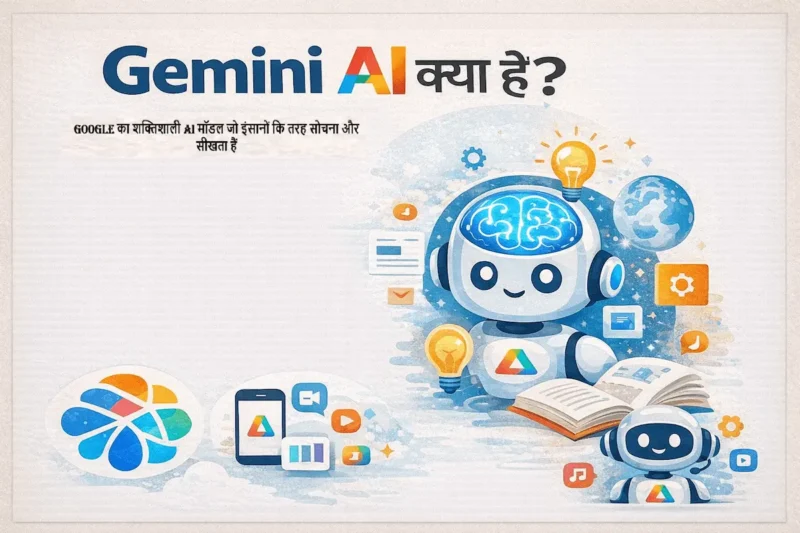
Google Slides with Gemini AI 2026 में Google Workspace users के लिए सबसे natural AI presentation tool है। Google ने अपने Gemini AI को directly Google Slides में integrate कर दिया है — इसीलिए Gmail, Docs और Drive users के लिए यह seamless experience है।
इसके अलावा, Gemini AI की strength यह है कि यह Google Docs content, Gmail threads और Google Drive files से directly context लेकर presentations बना सकता है। नतीजतन manually content copy-paste करने की ज़रूरत नहीं होती। हालाँकि अभी यह feature Google Workspace paid plans में ज़्यादा powerful है।
Google Slides with Gemini AI के Key Features
- “Help me create” — topic बताओ और Gemini slides generate करे
- Google Docs integration — documents से directly slides बनाओ
- इसके अलावा, AI image generation — slides में AI-generated images add करो
- Smart suggestions — slide layouts और content automatically suggest होते हैं
- Real-time collaboration — multiple users simultaneously edit कर सकते हैं
- Cloud-based — कहीं से भी access करो, कोई software install नहीं
Google Slides with Gemini AI के Benefits
- Google account से already connected — इसलिए अलग sign-up नहीं चाहिए
- नतीजतन school और college students जो Google Classroom use करते हैं, उनके लिए perfect
- Free tier available — basic AI features Google Slides free में मिलती हैं
- इसके अलावा, collaboration features सबसे strong हैं — group projects के लिए ideal
📊 Best AI Presentation Tools — Complete Comparison Table
अब तक हमने सभी 7 tools को detail में समझा। इसलिए नीचे एक complete comparison table दी गई है जिससे आप अपनी ज़रूरत के हिसाब से best tool आसानी से choose कर सकते हो:
| Tool | Type / प्रकार | Free Plan | Best For | Output Quality | Rating |
|---|---|---|---|---|---|
| Gamma AI | Topic → Interactive Deck | हाँ (Limited) | Students, Startups | 🔥 Premium | ⭐⭐⭐⭐⭐ |
| Tome AI | Topic → Story Presentation | हाँ (Limited) | Marketers, Founders | 🔥 Cinematic | ⭐⭐⭐⭐⭐ |
| Beautiful.ai | Content → Smart Slides | Free Trial | Corporate Teams | 🎯 Professional | ⭐⭐⭐⭐⭐ |
| Microsoft Copilot PPT | AI in PowerPoint | M365 Subscription | PowerPoint Users | 🎯 Professional | ⭐⭐⭐⭐⭐ |
| SlidesGPT | Topic → Instant Slides | बिल्कुल Free | Quick Presentations | 🎬 Standard | ⭐⭐⭐⭐ |
| Canva AI | AI-Powered Design | बिल्कुल Free | Beginners, SMBs | 🎬 HD | ⭐⭐⭐⭐ |
| Google Slides + Gemini | AI in Google Slides | हाँ (Basic Free) | Google Users, Schools | 🎬 Standard | ⭐⭐⭐⭐ |
🎯 Real-Life Use Cases — किसके लिए कौन सा AI Presentation Tool?
अलग-अलग लोगों की अलग-अलग ज़रूरतें होती हैं। इसलिए नीचे दी गई table में हमने specific use cases के हिसाब से best AI presentation tools recommend किए हैं। इससे आपको सही tool choose करने में आसानी होगी:
| Use Case / उपयोग | AI Presentation Tool कैसे Help करता है | Best Tool |
|---|---|---|
| 🎓 Students (School/College) | Project presentations, assignment slides, viva preparation | Gamma AI, Canva AI |
| 👩🏫 Teachers & Educators | Lecture slides, course material, interactive lessons | Canva AI, Google Slides + Gemini |
| 🏢 Corporate Professionals | Board meetings, quarterly reviews, team updates | Beautiful.ai, Microsoft Copilot |
| 🚀 Startup Founders | Investor pitch decks, product demos, fundraising | Tome AI, Gamma AI |
| 📈 Sales & Marketing | Client proposals, campaign presentations, sales pitches | Tome AI, Beautiful.ai |
| 👨💼 Freelancers & Consultants | Client deliverables, strategy presentations, workshops | Gamma AI, Canva AI |
| ⚡ Emergency/Quick Needs | Last-minute presentations, quick topic overviews | SlidesGPT, Gamma AI |
✅ Benefits of Using AI Presentation Tools in 2026
AI presentation tools सिर्फ time बचाने के लिए नहीं हैं — बल्कि ये आपकी presentation skills को completely transform कर सकते हैं। आइए इनके major benefits समझते हैं:
1. ⏱️ Time की बड़ी बचत
पहले एक 15-20 slides की professional presentation बनाने में 3-5 घंटे लगते थे। इसके अलावा, content research, slide design, image selection, formatting — यह सब अलग-अलग tasks थे। लेकिन अब AI presentation tools से वही काम 5-10 minutes में हो जाता है। नतीजतन professionals अपना time actual work पर focus कर पाते हैं।
2. 💰 Cost Effective Solution
Professional presentation design के लिए पहले designers hire करने पड़ते थे — जिसकी cost ₹2000-10000 per deck होती थी। Premium templates और stock images का भी अलग खर्च था। हालाँकि अब AI tools से monthly ₹0-1500 में unlimited professional presentations बन जाती हैं। इसीलिए students और small businesses को बड़ा benefit मिलता है।
3. 🎨 Professional Design बिना Design Knowledge के
अच्छी presentation design करना एक skill है जो सीखने में months लगते हैं। Color theory, typography, layout principles — यह सब समझना ज़रूरी था। लेकिन अब AI tools automatically design rules follow करते हैं। नतीजतन बिना किसी design background के भी हर slide professional दिखती है। इसके अलावा, AI consistent branding maintain करता है।
4. 📝 Better Content Organization
बहुत से लोगों को problem यह होती है कि information को logically organize कैसे करें। इसीलिए AI tools content को automatically structured narrative में बदलते हैं। नतीजतन presentations का flow natural और engaging लगता है। हालाँकि personal insights और specific data आपको खुद add करनी होगी।
5. 🌍 Multilingual Presentations आसानी से
India में multiple languages में presentations बनाना अक्सर challenging होता था। लेकिन अब AI tools Hindi, English और regional languages में content generate कर सकते हैं। इसके अलावा, एक ही presentation को automatically दूसरी language में translate भी किया जा सकता है। नतीजतन diverse audience तक पहुँचना possible हो गया है।
⚠️ AI Presentation Tools की Limitations — क्या ध्यान रखें?
AI tools के फ़ायदे बहुत हैं — हालाँकि इनकी कुछ limitations भी हैं जो आपको पता होनी चाहिए। इसलिए इन्हें ध्यान से पढ़ें:
Technical Limitations
- Generic content — AI कभी-कभी बहुत general और surface-level content देता है जो industry-specific depth miss करता है
- Factual accuracy — AI-generated facts और statistics हमेशा 100% accurate नहीं होते
- हालाँकि complex data visualization (advanced charts, custom diagrams) में AI अभी limited है
- Brand-specific customization — company-specific templates और guidelines perfectly follow करना challenging है
- इसके अलावा, advanced animation और transition effects अभी भी traditional tools में बेहतर हैं
Practical Considerations
- Internet dependency — ज़्यादातर AI presentation tools cloud-based हैं, इसलिए offline काम नहीं करते
- इसीलिए exam halls या offline environments में pre-download करना ज़रूरी है
- Over-reliance — सिर्फ AI पर depend मत करो, personal expertise ज़रूर add करो
- हालाँकि confidential business data AI tools में upload करते समय privacy policy ज़रूर पढ़ो
- इसके अलावा, कुछ tools free plan में watermark या branding add करते हैं
Frequently Asked Questions (FAQ)
Q1. 2026 में best AI presentation tool कौन सा है?
यह आपकी ज़रूरत पर depend करता है। Overall best experience के लिए Gamma AI recommend करेंगे। Storytelling presentations के लिए Tome AI best है। इसके अलावा, corporate users के लिए Beautiful.ai या Microsoft Copilot सबसे suitable हैं। हालाँकि अगर free में शुरू करना हो तो Gamma AI, SlidesGPT या Canva AI से शुरू करो।
Q2. क्या AI presentation tools free हैं?
हाँ! इस article में दिए गए कई tools के free versions available हैं। उदाहरण के तौर पर SlidesGPT बिल्कुल free है बिना sign-up के। इसके अलावा, Gamma AI, Canva AI और Google Slides + Gemini के free tiers हैं। हालाँकि unlimited presentations, premium templates और advanced features के लिए paid plans ज़रूरी होते हैं।
Q3. Students के लिए सबसे easy AI presentation tool कौन सा है?
Students के लिए Gamma AI सबसे easy और powerful है क्योंकि बस topic लिखो और complete interactive presentation ready। इसके अलावा, Canva AI भी students के लिए बेहद popular है क्योंकि इसके templates impressive हैं और free plan generous है। नतीजतन college projects और school assignments minutes में professional दिखते हैं। SlidesGPT भी last-minute presentations के लिए lifesaver है।
Q4. क्या AI-generated presentations को professors/teachers accept करते हैं?
Generally हाँ, बशर्ते content original और relevant हो। AI tool सिर्फ structure और design में help करता है — content accuracy और depth आपकी responsibility है। इसलिए AI-generated slides को review करो, facts verify करो, और अपने analysis add करो। हालाँकि कुछ institutions में AI usage policy check करना ज़रूरी है। इसके अलावा, हमेशा honest रहो कि AI tool use किया है अगर पूछा जाए।
Q5. PowerPoint vs AI Presentation Tools — कौन better है?
दोनों के अपने advantages हैं। PowerPoint advanced customization और offline work के लिए अभी भी best है। हालाँकि AI tools speed, design quality और ease-of-use में PowerPoint से आगे हैं। इसीलिए ideal approach यह है कि AI tool से presentation generate करो, फिर PowerPoint में download करके final touches दो। नतीजतन best of both worlds मिलता है।
Q6. क्या AI presentation tools Hindi में काम करते हैं?
हाँ! Gamma AI, Canva AI और Google Slides + Gemini Hindi content generate कर सकते हैं। इसके अलावा, SlidesGPT भी Hindi topics पर slides बना सकता है। हालाँकि English prompts देने पर results generally बेहतर आते हैं। इसीलिए Hinglish approach (Hindi content + English keywords) सबसे अच्छे results देता है। नतीजतन Indian audience के लिए presentations बनाना अब और भी easy हो गया है।
Q7. क्या AI presentations को offline use कर सकते हैं?
AI से presentation generate करने के लिए internet ज़रूरी है। हालाँकि generate होने के बाद ज़्यादातर tools PowerPoint (.pptx) या PDF format में download option देते हैं। इसके अलावा, Canva और Google Slides में offline mode भी available है (limited features के साथ)। नतीजतन exam halls या low-internet areas में भी pre-downloaded presentations use की जा सकती हैं। इसीलिए हमेशा backup download रखो।
🏁 निष्कर्ष (Conclusion)
2026 में best AI presentation tools ने presentation making को completely democratize कर दिया है। इसीलिए अब सिर्फ design experts ही नहीं — बल्कि students, teachers, freelancers और small business owners सब professional presentations minutes में बना सकते हैं।
इस article में हमने 7 best AI presentation tools cover किए। आइए एक बार फिर से याद करें:
- Gamma AI — Overall best, interactive presentations और students के लिए
- Tome AI — Storytelling-based presentations, startups और marketers के लिए
- Beautiful.ai — Smart auto-design, corporate teams के लिए
- Microsoft Copilot — PowerPoint users के लिए AI assistant
- SlidesGPT — बिल्कुल free, instant slide generation
- Canva AI — Beginners और visual-first presentations के लिए
- Google Slides + Gemini — Google Workspace users और schools के लिए
सबसे ज़रूरी बात यह है कि AI tools एक powerful assistant हैं — हालाँकि आपकी knowledge, expertise और personal insights इनसे replace नहीं होतीं। AI structure और design देता है, लेकिन depth और authenticity आपसे आती है। नतीजतन जो presenter AI को अपनी expertise के साथ combine करेगा, वो 2026 में सबसे impactful presentations deliver करेगा।
अगर यह article helpful लगा तो इसे अपने student और professional दोस्तों के साथ ज़रूर share करें — क्योंकि अच्छी जानकारी share करना ही सबसे बड़ी helping है! 📊🚀
🔗 Related Articles
- Best AI Video Generator Tools in 2026 — Beginners से Experts तक पूरी Guide!
- Best AI Image Generator Tools in 2026 — बिना Design Skills के Professional Graphics बनाओ!
- Best Free AI Tools for Students in 2026 — पढ़ाई को बनाओ Super Easy!
- ChatGPT को effectively कैसे use करें — Beginners के लिए Complete Guide
- Generative AI क्या है? — Complete Hindi Guide


AI presentation tools की categories और उनके practical use cases को जिस तरह explain किया गया है, उससे beginners के लिए सही tool type चुनना आसान हो जाता है। एक और useful point यह हो सकता है कि users को content accuracy और AI-generated slides की manual review की जरूरत के बारे में भी बताया जाए, क्योंकि अच्छी design के साथ सही information भी उतनी ही महत्वपूर्ण है।