
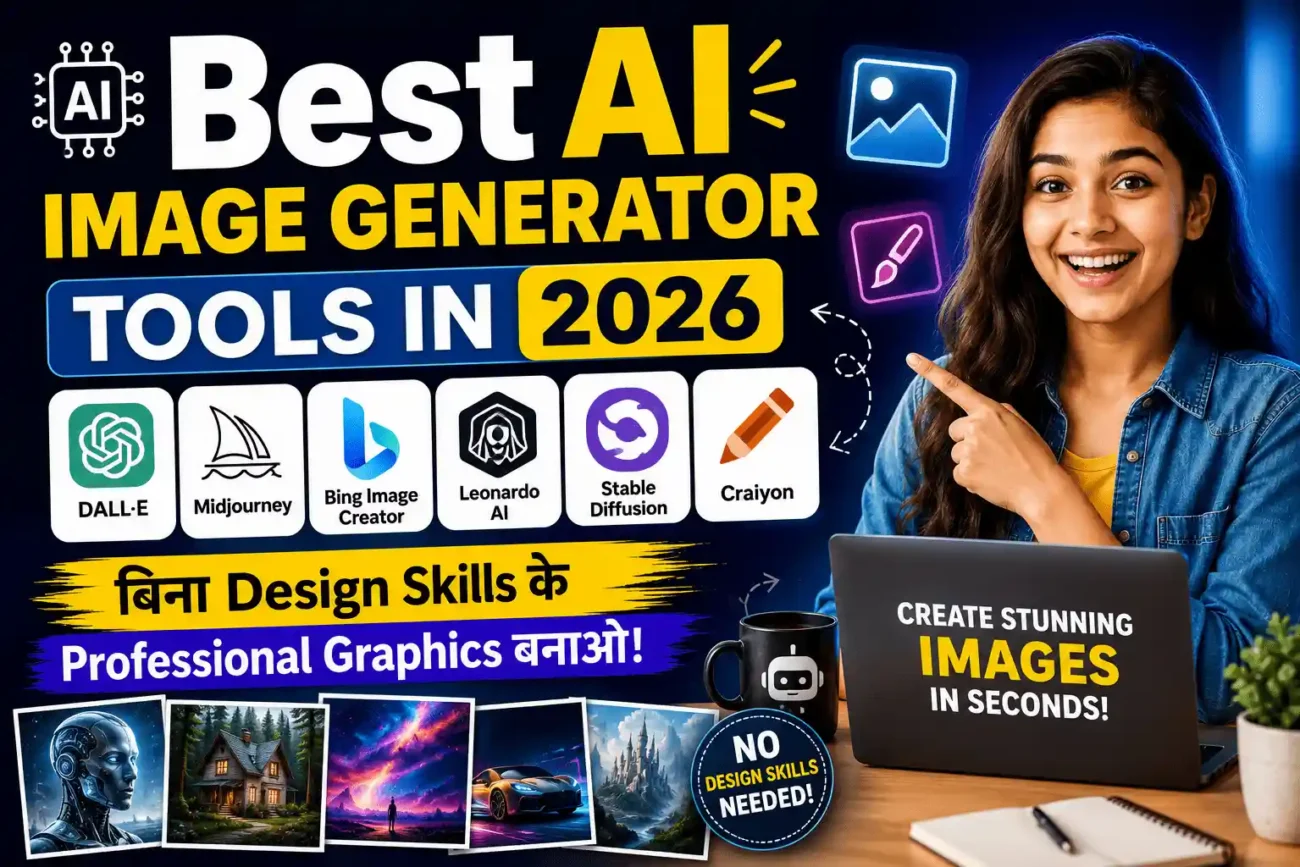
आज के digital युग में visual content सबसे ज़्यादा powerful marketing और communication tool बन चुका है। इसीलिए हर कोई — चाहे student हो, blogger हो, social media creator हो या business owner — professional graphics और images बनाना चाहता है।
हालाँकि एक बड़ी problem यह है कि professional graphics बनाने के लिए पहले expensive software जैसे Adobe Photoshop, Illustrator, और advanced design skills की ज़रूरत होती थी। लेकिन अब Artificial Intelligence (AI) ने यह सब बदल दिया है। नतीजतन अब कोई भी बिना किसी design background के seconds में stunning images बना सकता है।
इसलिए इस article में हम 2026 के best AI image generator tools के बारे में detail से जानेंगे। हम यह भी समझेंगे कि ये tools कैसे काम करते हैं, किसके लिए best हैं, और आपको कौन सा tool choose करना चाहिए।
🎨 AI Image Generator Tools क्या होते हैं?
AI Image Generator Tools ऐसे software platforms होते हैं जो Artificial Intelligence की मदद से images बनाने की पूरी process को automatic कर देते हैं। इसीलिए user को सिर्फ एक text description (prompt) देना होता है — बाकी सब AI खुद करता है।
उदाहरण के तौर पर, आप लिखो “a futuristic city at sunset with flying cars” और AI automatically उसकी realistic image generate कर देता है। नतीजतन घंटों का Photoshop काम seconds में हो जाता है।
AI Image Tools की 4 Main Categories
1. Text-to-Image Tools: आप कोई भी text description लिखो और AI उसे automatically image में convert कर देता है। इसलिए यह bloggers और content creators के लिए बेहद useful है।
2. Image Editing AI Tools: इन tools में existing photos को AI की मदद से edit किया जाता है — जैसे background remove करना, objects add करना। नतीजतन manual editing की ज़रूरत नहीं होती।
3. AI Art & Illustration Tools: ये tools artistic और creative styles में images generate करते हैं। इसके अलावा, AI automatically different art styles जैसे watercolor, oil painting, anime apply करता है।
4. AI Design Tools: ये tools complete designs बनाते हैं — जैसे logos, social media posts, banners। इसीलिए small business owners के लिए यह सबसे आसान option है।
⚙️ AI Image Generator Tools कैसे काम करते हैं? (Step-by-Step)
AI image generation एक complex process है — हालाँकि user के लिए यह बेहद simple और easy होती है। आइए step-by-step समझते हैं:
Step 1 — Prompt देना
Input Types: Text description, Reference image, Style selection, या Sketch upload
सबसे पहले आप AI tool में अपना prompt (text description) देते हो। इसके अलावा, कुछ advanced tools जैसे Midjourney और DALL-E 3 में आप reference images भी upload कर सकते हो ताकि AI को बेहतर idea मिले।
Step 2 — AI Processing और Generation
AI क्या करता है: Text का meaning analyze करता है, visual elements decide करता है, composition और colors choose करता है।
इस stage में AI आपके prompt को deeply analyze करता है। नतीजतन यह सबसे relevant visual elements, colors, lighting और composition automatically decide करता है। इसीलिए एक अच्छा prompt लिखना बेहद ज़रूरी है।
Step 3 — Image Refinement
Automatic Tasks: Multiple variations generate करना, Resolution enhance करना, Details refine करना, Style apply करना
इसके बाद AI automatically image की multiple variations generate करता है। इसके अलावा, आप चाहें तो specific areas को edit भी कर सकते हो (inpainting)। हालाँकि first attempt में ही अक्सर impressive results मिल जाते हैं।
Step 4 — Final Download और Use
कुछ ही seconds में complete image generate हो जाती है। नतीजतन आप इसे directly download कर सकते हो, social media पर share कर सकते हो, या अपने blog और projects में use कर सकते हो। इसलिए यह process बेहद time-efficient है।
💡 Pro Tip: Image generate होने के बाद हमेशा details carefully check करो — AI कभी-कभी fingers, text या small details में mistakes कर सकता है। इसलिए final check ज़रूरी है।
🌟 Best AI Image Generator Tools in 2026 — Overview
2026 में AI image generation की दुनिया बहुत तेज़ी से grow हुई है। इसलिए market में दर्जनों tools available हैं — हालाँकि उनमें से सभी equally good नहीं हैं। नतीजतन हमने research करके 7 best और most reliable AI image generator tools select किए हैं जो actually काम करते हैं।
1. 🎨 Midjourney — Best for Ultra-Realistic AI Art
Midjourney आज दुनिया के सबसे advanced AI image generator tools में से एक है। यह Hollywood-level realistic और artistic images generate करने की technology को आम creators के लिए accessible बनाता है। इसीलिए professional designers और artists इसे बेहद पसंद करते हैं।
इसके अलावा, Midjourney का V6.1 model 2026 में सबसे realistic और aesthetically beautiful AI images generate करने के लिए जाना जाता है। नतीजतन यह tool professional photographers और graphic designers के बीच बहुत popular हो गया है।
Midjourney के Key Features
- V6.1 model — ultra-realistic image generation जो photography जैसी quality देता है
- Text-to-Image और Image-to-Image दोनों modes available
- इसके अलावा, Style Reference feature — किसी भी art style को replicate करो
- Pan, Zoom और Vary tools — generated images को further customize करो
- Ultra-high resolution output — print-quality images possible
- हालाँकि web interface अब available है जो पहले सिर्फ Discord पर था
Midjourney के Benefits
- Photography-level realistic images बिना camera और studio के
- नतीजतन professional portfolio images easily बन जाती हैं
- Artists और designers के लिए concept visualization बेहद easy
- इसके अलावा, commercial projects के लिए भी legally safe content (paid plans में)
2. 🤖 DALL-E 3 — Best for Accurate Prompt Understanding
DALL-E 3 OpenAI का latest AI image generator है जो ChatGPT के साथ directly integrated है। इसमें आपकी prompt को बेहद accurately समझने की capability है — इसीलिए complex और detailed descriptions भी perfectly generate होती हैं। नतीजतन beginners से लेकर professionals तक सभी इसे extensively use करते हैं।
हालाँकि DALL-E 3 की सबसे बड़ी खासियत यह है कि यह ChatGPT के अंदर ही काम करता है। नतीजतन आप conversational style में images generate कर सकते हो — बस describe करो कि क्या चाहिए और AI बना देगा।
DALL-E 3 के Key Features
- ChatGPT integration — conversation में ही images generate करो
- Superior prompt understanding — complex descriptions भी accurately follow करता है
- इसके अलावा, Text rendering — images में text correctly दिखता है (जो दूसरे tools में अक्सर गलत आता है)
- Inpainting — generated image के specific parts edit करो
- Multiple aspect ratios — square, landscape, portrait सब supported
- Content safety filters — inappropriate content automatically block होता है
DALL-E 3 के Benefits
- Beginners के लिए सबसे easy — natural language में बस describe करो
- नतीजतन बिना किसी technical prompt engineering के अच्छे results मिलते हैं
- ChatGPT Plus subscription में included है — अलग से pay नहीं करना
- इसके अलावा, text और logos generate करने में सबसे accurate है
3. 🔥 Adobe Firefly — Best for Commercial-Safe AI Images
Adobe Firefly 2026 में commercial creators के लिए सबसे trusted AI image generator tool है। यह Adobe के Creative Cloud ecosystem का हिस्सा है — इसीलिए Photoshop, Illustrator और Express के साथ seamlessly integrate होता है।
इसके अलावा, Adobe Firefly की सबसे बड़ी strength यह है कि इसकी सारी training legally licensed content पर हुई है। नतीजतन generated images commercially safe हैं और copyright की चिंता नहीं होती। इसीलिए businesses और brands इसे prefer करते हैं।
Adobe Firefly के Key Features
- Commercially safe — सारी images copyright-free और commercially usable
- Photoshop integration — Generative Fill और Expand features directly Photoshop में
- इसके अलावा, Text Effects — stunning 3D text styles generate करो
- Structure Reference — image के layout को maintain करते हुए style बदलो
- Style Match — brand consistency maintain करो across designs
- Generative Recolor — illustrations को instantly different color schemes में convert करो
Adobe Firefly के Benefits
- Commercial projects के लिए legally 100% safe — इसलिए businesses के लिए perfect
- नतीजतन brand designers बिना copyright worry के client work कर सकते हैं
- Photoshop users के लिए workflow बिल्कुल seamless है
- इसके अलावा, India में Adobe Express free plan से basic features access कर सकते हो
4. 🎭 Leonardo AI — Best for Game Art & Character Design
Leonardo AI 2024-2026 में सबसे तेज़ी से grow करने वाला AI image generator tool है। यह specifically game art, character design और concept art बनाने के लिए design किया गया है। इसीलिए game developers, illustrators और fantasy artists इसे बेहद पसंद करते हैं।
इसके अलावा, Leonardo AI की सबसे बड़ी strength यह है कि इसमें custom model training available है। नतीजतन आप अपने specific art style में consistent images generate कर सकते हो।
Leonardo AI के Key Features
- Custom AI models — अपने style में images generate करने के लिए model train करो
- Realtime Canvas — sketch draw करो और AI instantly image बना दे
- इसके अलावा, Character consistency — same character को different poses में generate करो
- Texture generation — 3D models के लिए textures बनाओ
- Multiple fine-tuned models — Photoreal, DreamShaper, Anime, RPG styles
- Generous free tier — daily 150 free tokens मिलते हैं
Leonardo AI के Benefits
- Game developers के लिए concept art बनाना affordable हो गया
- इसीलिए character design और world building के लिए perfect है
- नतीजतन indie game studios बड़े budget के बिना भी stunning art बना सकते हैं
- हालाँकि free plan काफ़ी generous है — इसलिए beginners बिना investment शुरू कर सकते हैं
5. ✍️ Ideogram AI — Best for Text-in-Image Generation
Ideogram AI 2026 में एक बेहद unique AI image generator tool है जो specifically text rendering में master है। जहाँ दूसरे AI tools images में text गलत लिखते हैं — वहाँ Ideogram perfectly readable और stylish text generate करता है। इसीलिए logo designers, poster makers और social media creators इसे बेहद पसंद करते हैं।
इसके अलावा, Ideogram AI का Magic Prompt feature आपकी simple description को automatically enhance करता है। नतीजतन बिना complex prompt engineering के भी stunning images बन जाती हैं।
Ideogram AI के Key Features
- Best-in-class text rendering — images में text perfectly readable आता है
- Magic Prompt — simple prompts को automatically enhance करता है
- इसके अलावा, Multiple styles — Photo, 3D, Anime, Painting, Typography styles available
- High resolution output — 1024×1024 और larger sizes supported
- Free tier available — daily free generations मिलती हैं
- Community gallery — दूसरों की creations से inspiration लो
Ideogram AI के Benefits
- Logo और brand name वाली images बनाना अब possible है — इसलिए designers के लिए game-changer
- नतीजतन social media posts में text overlays AI से ही बन जाते हैं
- Poster और banner design बिना Canva के भी professionally हो जाता है
- इसके अलावा, free tier में भी काफ़ी generations मिलती हैं
6. 🌟 Canva AI (Magic Studio) — Best Free AI Design Tool for Beginners
Canva AI 2026 में India के beginners के लिए सबसे popular और accessible AI image tool है। यह originally एक drag-and-drop design platform था — लेकिन अब इसमें powerful AI features add हो गए हैं जो इसे बेहद versatile बनाते हैं।
इसके अलावा, Canva AI का सबसे बड़ा advantage यह है कि इसका free plan बेहद generous है। नतीजतन beginners बिना कोई investment किए professional-looking designs बना सकते हैं। इसीलिए India में students, teachers और small business owners सबसे ज़्यादा Canva use करते हैं।
Canva AI (Magic Studio) के Key Features
- Magic Design — description दो और complete design ready
- Text to Image — AI image generation built-in है
- इसके अलावा, Magic Edit — existing photos में AI से objects add या remove करो
- Background Remover — one-click background removal
- Magic Eraser — unwanted objects photos से instantly हटाओ
- Brand Kit — consistent branding maintain करो across all designs
- 1 Million+ templates — social media, presentations, posters सबके लिए
Canva AI (Magic Studio) के Benefits
- पूरी तरह free plan available — इसीलिए beginners के लिए perfect starting point
- Mobile और desktop दोनों पर smoothly काम करता है
- नतीजतन Instagram posts, YouTube thumbnails, और presentations बनाना बेहद आसान हो जाता है
- इसके अलावा, India में internet speed कम हो तब भी browser version अच्छे से चलता है
7. 🚀 Flux AI (by Black Forest Labs) — Best for Open-Source AI Image Generation
Flux AI 2025-2026 में सबसे powerful open-source AI image generator के रूप में उभरा है। Black Forest Labs (Stable Diffusion के original creators) ने इसे बनाया है — इसीलिए इसकी image quality और flexibility दोनों exceptional हैं।
इसके अलावा, Flux AI की खासियत यह है कि इसके कई versions free और open-source हैं। नतीजतन developers और advanced users इसे अपने projects में freely integrate कर सकते हैं। हालाँकि beginners के लिए भी web-based interfaces available हैं।
Flux AI के Key Features
- Flux.1 Pro model — professional-grade image quality
- Open-source versions — Flux.1 Schnell (fast) और Flux.1 Dev freely available
- इसके अलावा, excellent text rendering — images में text accurately generate होता है
- Human anatomy — hands, fingers, faces बेहद realistic generate होते हैं
- Customizable — अपने hardware पर locally run करो (GPU required)
- Multiple platforms — Replicate, Hugging Face, ComfyUI सब पर available
Flux AI के Benefits
- Open-source होने से developers के लिए full customization possible है
- इसीलिए privacy-conscious users अपने data को locally process कर सकते हैं
- नतीजतन commercial use के लिए भी flexibility मिलती है
- हालाँकि locally run करने के लिए powerful GPU चाहिए — इसलिए cloud platforms recommend हैं beginners के लिए
📊 Best AI Image Generator Tools — Complete Comparison Table
अब तक हमने सभी 7 tools को detail में समझा। इसलिए नीचे एक complete comparison table दी गई है जिससे आप अपनी ज़रूरत के हिसाब से best tool आसानी से choose कर सकते हो:
| Tool | Type / प्रकार | Free Plan | Best For | Output Quality | Rating |
|---|---|---|---|---|---|
| Midjourney | Text → Ultra-Realistic Art | नहीं (Paid only) | Artists, Designers | 🔥 Ultra HD | ⭐⭐⭐⭐⭐ |
| DALL-E 3 | Text → Accurate Images | हाँ (ChatGPT Free में Limited) | Beginners, Writers | 🎯 Professional | ⭐⭐⭐⭐⭐ |
| Adobe Firefly | Text → Commercial-Safe | हाँ (Limited Credits) | Businesses, Brands | 🎯 Professional | ⭐⭐⭐⭐⭐ |
| Leonardo AI | Text → Game Art | हाँ (150 daily tokens) | Game Devs, Artists | 🎬 HD | ⭐⭐⭐⭐⭐ |
| Ideogram AI | Text → Text-in-Images | हाँ (Free tier) | Logo, Poster Designers | 🎬 HD | ⭐⭐⭐⭐ |
| Canva AI | AI-Powered Design | बिल्कुल Free | Beginners, SMBs | 🎬 HD | ⭐⭐⭐⭐ |
| Flux AI | Open-Source Generation | हाँ (Open Source) | Developers, Advanced Users | 🔥 Ultra HD | ⭐⭐⭐⭐⭐ |
🎯 Real-Life Use Cases — किसके लिए कौन सा AI Image Tool?
अलग-अलग लोगों की अलग-अलग ज़रूरतें होती हैं। इसलिए नीचे दी गई table में हमने specific use cases के हिसाब से best AI image tools recommend किए हैं। इससे आपको सही tool choose करने में आसानी होगी:
| Use Case / उपयोग | AI Image Tool कैसे Help करता है | Best Tool |
|---|---|---|
| 🎓 Students & Education | Project presentations, assignment illustrations, study notes visualize करना | Canva AI, DALL-E 3 |
| 📹 YouTubers / Bloggers | Thumbnails, blog featured images, channel art बनाना | Canva AI, Ideogram AI |
| 🏢 Business & Marketing | Product mockups, ad creatives, brand visuals, social media posts | Adobe Firefly, Canva AI |
| 🎨 Graphic Designers | Concept art, client presentations, rapid prototyping | Midjourney, Leonardo AI |
| 🎮 Game Developers | Character design, environment art, item icons, textures | Leonardo AI, Midjourney |
| 📱 Social Media Creators | Instagram posts, story graphics, Reels covers, viral content | Canva AI, Ideogram AI |
| 👨💼 Freelancers & Agencies | Client deliverables, pitch decks, brand kits | Adobe Firefly, Midjourney |
✅ Benefits of Using AI Image Generator Tools in 2026
AI image generator tools सिर्फ time बचाने के लिए नहीं हैं — बल्कि ये आपकी design और content creation को completely transform कर सकते हैं। आइए इनके major benefits समझते हैं:
1. ⏱️ Time की बड़ी बचत
पहले एक professional graphic design बनाने में 2-4 घंटे लगते थे। इसके अलावा, concept ideation, sketching, color selection, editing — यह सब अलग-अलग skills थीं। लेकिन अब AI image tools से वही काम 30-60 seconds में हो जाता है। नतीजतन creators ज़्यादा content produce कर पाते हैं।
2. 💰 Cost Effective Solution
Professional graphic design में पहले thousands rupees per design खर्च होते थे। Photoshop subscription, stock images, designer fees — सबका खर्च होता था। हालाँकि अब AI tools से monthly ₹0-2000 में unlimited professional images बन जाती हैं। इसीलिए small businesses और individual creators को बड़ा benefit मिलता है।
3. 🌍 Unlimited Creative Possibilities
Traditional design में आप अपनी skills और available resources तक limited होते थे। लेकिन अब AI tools से कोई भी idea — चाहे कितना भी complex हो — visually represent किया जा सकता है। नतीजतन creativity की कोई सीमा नहीं रहती। इसके अलावा, AI हर बार unique variations देता है।
4. 🎓 No Technical Skills Required
Photoshop और Illustrator सीखने में पहले महीनों लग जाते थे। इसके अलावा, color theory, typography, composition जैसे concepts समझने में और भी time लगता था। हालाँकि अब AI tools से कोई भी — बिना किसी design background के — professional images बना सकता है।
5. 📈 Consistent Brand Content
Regular और consistent visual content publish करना digital growth के लिए ज़रूरी है। इसीलिए AI tools content creators को consistent output maintain करने में help करते हैं। नतीजतन social media pages और blogs faster grow होते हैं।
⚠️ AI Image Generator Tools की Limitations — क्या ध्यान रखें?
AI tools के फ़ायदे बहुत हैं — हालाँकि इनकी कुछ limitations भी हैं जो आपको पता होनी चाहिए। इसलिए इन्हें ध्यान से पढ़ें:
Technical Limitations
- Hands और fingers — AI अभी भी कभी-कभी extra या distorted fingers generate करता है
- Text in images — कुछ tools में images में text गलत या unreadable आता है (Ideogram और Flux इसमें बेहतर हैं)
- हालाँकि very specific या complex prompts में AI कभी-कभी exactly वही output नहीं देता जो आप चाहते हो
- Consistent characters — same character को multiple images में exactly same दिखाना अभी भी challenging है
- इसके अलावा, advanced features अक्सर paid plans में ही मिलते हैं
Ethical और Legal Considerations
- Copyright concerns — AI-generated images की ownership और copyright laws अभी evolving हैं
- इसीलिए real लोगों की likeness AI से बनाना ethical और legal problems create कर सकता है
- Training data ethics — कुछ tools copyrighted artwork पर train हुए हैं जो controversial है (Adobe Firefly इसमें safest है)
- हालाँकि personal और educational use generally safe है
- इसके अलावा, commercial use से पहले हमेशा tool की license terms carefully check करो
Frequently Asked Questions (FAQ)
Q1. 2026 में best AI image generator tool कौन सा है?
यह आपकी ज़रूरत पर depend करता है। Ultra-realistic art के लिए Midjourney best है। Beginners के लिए DALL-E 3 (ChatGPT में) या Canva AI सबसे easy हैं। इसके अलावा, commercial projects के लिए Adobe Firefly सबसे safe है। हालाँकि अगर एक tool से शुरू करना हो तो Canva AI (free) या DALL-E 3 recommend करेंगे।
Q2. क्या AI image generator tools free हैं?
हाँ! इस article में दिए गए कई tools के free versions available हैं। उदाहरण के तौर पर Canva AI काफ़ी हद तक free है। इसके अलावा, Leonardo AI daily 150 free tokens देता है, DALL-E 3 ChatGPT Free में limited access देता है, और Flux AI open-source है। हालाँकि unlimited access और advanced features के लिए paid plans ज़रूरी होते हैं।
Q3. Beginners के लिए सबसे easy AI image tool कौन सा है?
Beginners के लिए DALL-E 3 (ChatGPT में) सबसे easy है क्योंकि आप बस Hindi या English में describe कर सकते हो कि क्या image चाहिए। इसके अलावा, Canva AI भी beginners के लिए perfect है क्योंकि इसका drag-and-drop interface बेहद simple है। नतीजतन zero design knowledge में भी professional images बन जाती हैं।
Q4. India में AI image tools कैसे use करें?
India में इन सभी tools को easily access किया जा सकता है। इसलिए आपको बस एक email ID से sign up करना है। हालाँकि paid plans के लिए UPI या international debit/credit card चाहिए। इसके अलावा, DALL-E 3 ChatGPT में और Canva AI पर Hindi prompts भी काम करते हैं।
Q5. AI image tools से YouTube thumbnails बन सकते हैं?
बिल्कुल! AI image tools YouTube thumbnails बनाने के लिए बेहद powerful हैं। इसीलिए Canva AI और Ideogram AI specifically thumbnails के लिए popular हैं क्योंकि ये text rendering में अच्छे हैं। हालाँकि thumbnail में clickbait avoid करो और accurate representation रखो।
Q6. AI image tools Adobe Photoshop की जगह ले सकते हैं?
Simple और regular graphic design tasks के लिए हाँ — AI tools काफ़ी हैं। हालाँकि highly detailed photo manipulation, complex compositing, या precision editing के लिए अभी भी Adobe Photoshop ज़्यादा suitable है। इसलिए दोनों का combination use करना सबसे smart approach है। इसके अलावा, Adobe Firefly Photoshop के अंदर ही AI features देता है — नतीजतन best of both worlds मिलता है।
Q7. AI-generated images को commercially use किया जा सकता है?
हाँ, लेकिन tool की license terms ध्यान से पढ़नी चाहिए। Adobe Firefly commercially safest है क्योंकि यह licensed content पर trained है। Midjourney paid plans में commercial rights देता है। इसके अलावा, DALL-E 3 की images भी OpenAI terms के under commercially usable हैं। नतीजतन सही tool choose करके legal issues से बचा जा सकता है।
🏁 निष्कर्ष (Conclusion)
2026 में best AI image generator tools ने graphic design को completely democratize कर दिया है। इसीलिए अब सिर्फ professional designers ही नहीं — बल्कि students, bloggers, teachers और small business owners सब professional images बना सकते हैं।
इस article में हमने 7 best AI image generator tools cover किए। आइए एक बार फिर से याद करें:
- Midjourney — Ultra-realistic art और photography-level images के लिए
- DALL-E 3 — Accurate prompt understanding और beginners के लिए
- Adobe Firefly — Commercial-safe और brand-ready images के लिए
- Leonardo AI — Game art, character design और creative illustrations के लिए
- Ideogram AI — Text-in-image generation और logo design के लिए
- Canva AI — Beginners और small businesses के लिए all-in-one free design tool
- Flux AI — Open-source flexibility और advanced users के लिए
सबसे ज़रूरी बात यह है कि AI tools एक powerful assistant हैं — हालाँकि आपकी creativity और original ideas इनसे replace नहीं होतीं। नतीजतन जो creator AI को अपनी creativity के साथ combine करेगा, वो 2026 में सबसे आगे रहेगा।
अगर यह article helpful लगा तो इसे अपने creator दोस्तों के साथ ज़रूर share करें — क्योंकि अच्छी जानकारी share करना ही सबसे बड़ी helping है! 🎨🚀